


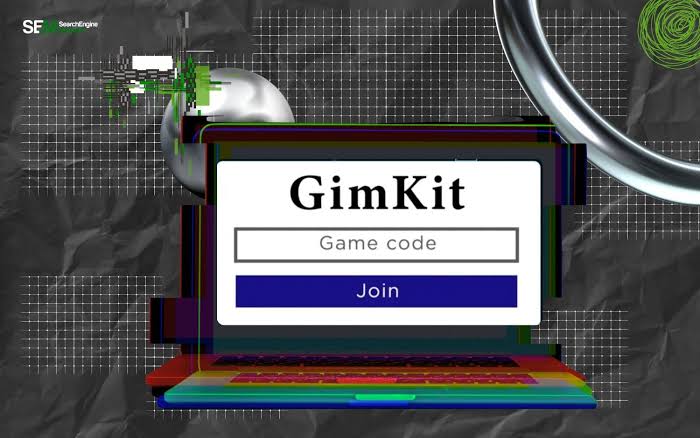
If you’ve ever searched for a gimkit code, chances are you wanted to jump into a live classroom game as quickly as possible. Whether you’re a student joining a teacher’s quiz or an educator exploring interactive learning tools, understanding how these game codes work can save time and eliminate confusion.
Unlike traditional online quizzes, Gimkit transforms learning into a fast-paced, game-based experience where players earn virtual currency by answering questions correctly. Joining a session only takes a few moments, but knowing where to find a valid game code and what to do if something goes wrong makes the process even smoother.
In this guide, you’ll learn what a Gimkit game code is, how to use it, where to find one, common troubleshooting tips, and best practices for both students and teachers.
What Is a Gimkit Code?
A Gimkit code is a unique numerical or alphanumeric identifier generated whenever a teacher or host launches a live game session. Instead of creating accounts or sharing complicated links, participants simply enter this code to access the active game.
Think of it as a temporary digital invitation. Every live session receives its own unique identifier, and once the game ends, that code usually becomes inactive.
This simple system helps keep classroom games organized while ensuring only invited participants can join.
How to Join a Gimkit Game
Joining a live session is straightforward.
Follow these steps:
- Open the Gimkit join page in your browser.
- Enter the game code provided by your teacher or host.
- Choose your display name if prompted.
- Wait for the host to begin the game.
- Start answering questions and earning in-game cash.
The entire process usually takes less than a minute if the session is active.
Where Do You Get a Valid Game Code?
One of the biggest misconceptions is that you can find working public codes online. In reality, most active codes are private because they’re generated for specific classroom sessions.
Teachers commonly share them through:
- Classroom projectors
- Video meetings
- Learning management systems
- Email announcements
- Classroom messaging platforms
If you don’t have a code, the best option is to ask your teacher or event organizer directly.
Why Isn’t My Code Working?
Sometimes a valid-looking code still won’t let you join. Several common reasons explain this.
The Game Has Ended
Live sessions only remain available while the host keeps them active. Once the game finishes, the code expires.
Typing Mistakes
A single incorrect digit can prevent access. Double-check every character before submitting.
Host Closed New Entries
Some hosts disable new participants after the game begins to keep competition fair.
Internet Connection Problems
Slow or unstable internet can interrupt communication with the game servers.
Wrong Join Page
Always make sure you’re entering the code on the official join page rather than another section of the website.
Student vs. Teacher Experience
Although both use the same platform, their responsibilities differ.
| Feature | Students | Teachers |
|---|---|---|
| Need a game code | Yes | No (creates one) |
| Start live games | No | Yes |
| Create question sets | Limited | Yes |
| Monitor progress | No | Yes |
| Control game settings | No | Yes |
Understanding these roles makes it easier to know why only teachers generate active session codes while students simply join them.
Why Teachers Like Using Gimkit
Interactive learning platforms have become increasingly popular because they encourage participation rather than passive memorization.
Many educators appreciate Gimkit because students:
- Stay engaged longer
- Receive immediate feedback
- Practice concepts repeatedly
- Compete in a fun environment
- Learn collaboratively
Instead of viewing quizzes as stressful assessments, many learners see them as enjoyable challenges.
A Real-World Classroom Example
Imagine a high school science teacher reviewing material before a biology exam. Rather than handing out another worksheet, the teacher launches a live game and shares the session code on the classroom screen.
Within a minute, every student joins from a Chromebook or smartphone. As questions appear, excitement builds because correct answers earn virtual money that can be spent on upgrades during the game.
By the end of class, the teacher has a clear picture of which concepts students understand and which topics need additional review.
This kind of immediate engagement explains why game-based learning continues gaining popularity in classrooms.
Tips for Joining Without Problems
A few simple habits can make every session smoother.
- Join before class officially starts.
- Copy the code carefully.
- Keep your browser updated.
- Use a stable Wi-Fi connection.
- Refresh the page only if instructed.
- Wait for the host to begin before assuming something is wrong.
These small steps often prevent the most common joining issues.
Can You Reuse an Old Code?
Generally, no.
Each live session generates a new identifier, and previous ones expire after the host ends the game. Even if you wrote down yesterday’s number, it almost certainly won’t work today.
Always request the newest code before attempting to join.
Is It Safe to Share Game Codes?
Since live sessions are intended for invited participants, it’s usually best not to post active codes publicly.
Sharing them online could allow unexpected players to enter the game, creating unnecessary distractions during class.
Teachers who want private sessions should distribute codes only to enrolled students.
Personal Experience
I’ve noticed that interactive quiz sessions tend to keep participants focused much longer than traditional review activities because the instant feedback and friendly competition encourage everyone to stay involved until the very end.
Common Mistakes to Avoid
Many joining problems happen because of simple misunderstandings.
Avoid these mistakes:
- Using expired session numbers
- Entering extra spaces
- Waiting too long after receiving the code
- Assuming every code found online is active
- Closing the browser before the game begins
Being aware of these issues saves time and frustration.
FAQs
What is a Gimkit code?
It is a unique game identifier that allows students or participants to enter a live Gimkit session hosted by a teacher or organizer.
How long does a game code remain active?
It stays active only while the host keeps the live session running. Once the game ends, the code typically expires.
Can anyone create a game code?
Only someone hosting a live game can generate a new session code.
Why does my code say it’s invalid?
The session may have ended, the code may contain a typo, or the host may have disabled new participants.
Can I join without a code?
For most live games, you’ll need either the session code or another invitation method provided by the host.
Are public Gimkit codes available?
Most live session codes are private and intended only for invited participants, so publicly shared codes are often expired or inactive.
Read More: Best Waterproof Pouches for Documents When Traveling
Conclusion
A gimkit code is the key that connects students to engaging, live learning sessions. While joining a game is simple, understanding where codes come from, why they expire, and how to troubleshoot common issues makes the experience much smoother.
Whether you’re a student preparing for the next classroom challenge or a teacher introducing interactive review activities, knowing how game codes work helps everyone spend less time solving technical problems and more time focusing on learning. With a reliable internet connection, the correct session code, and a few best practices, you’ll be ready to join your next game confidently and enjoy a more engaging educational experience.